
Introduction
Tailwind is a powerful scheduling tool designed to optimize your social media marketing strategies, particularly on Pinterest. It stands out in the realm of Pinterest marketing due to its ability to automate pin scheduling, analyze performance metrics, and create visually appealing pins. Tailwind simplifies the complex process of managing your Pinterest presence, making it an essential tool for marketers aiming to boost their reach and engagement.
In this review, you’ll discover:
- Key features that make Tailwind the best scheduler for Pinterest in 2024.
- Pros and cons of using Tailwind for your social media strategy.
- Insights into user experience and navigation across different devices.
- A detailed look at Tailwind’s pricing plans, including their free-for-life option.
Expect to gain a comprehensive understanding of how Tailwind can transform your Pinterest marketing efforts and whether it’s worth investing your time and resources into this tool.
Understanding Tailwind
Tailwind is a powerful social media scheduling tool designed to streamline your posting strategy across multiple platforms. Its primary purpose is to help users manage and optimize their social media presence with ease, particularly on visually-driven platforms like Pinterest.
Integration Capabilities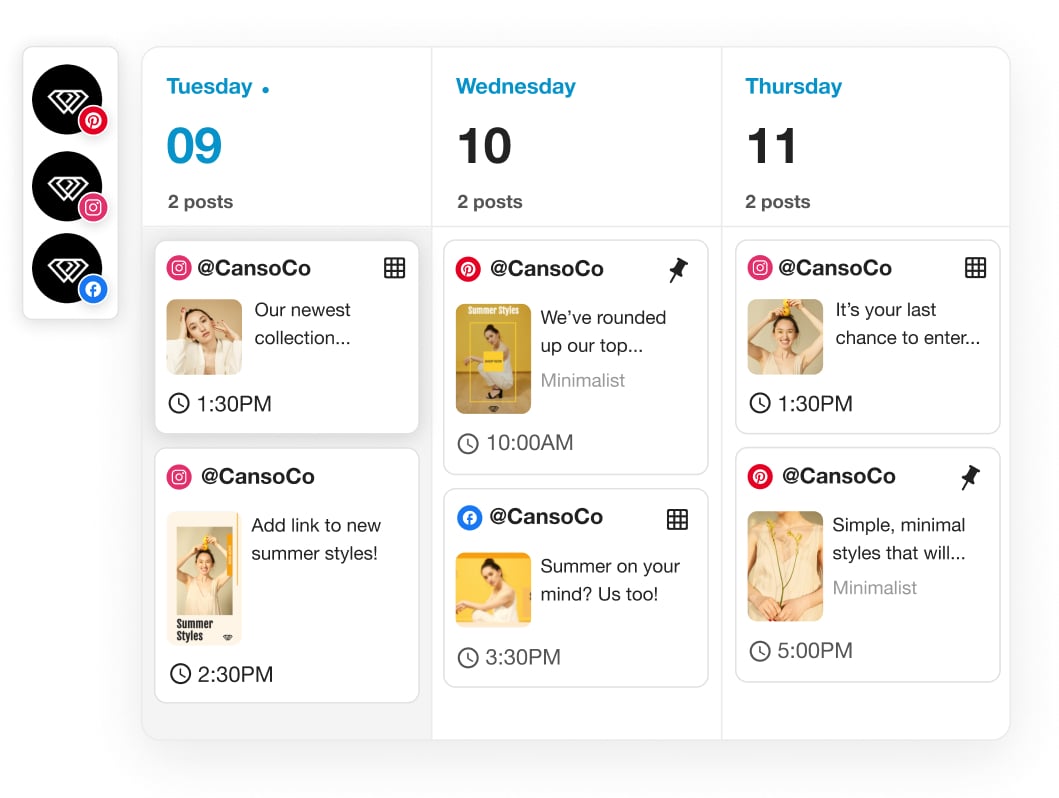
Tailwind seamlessly integrates with several major social media platforms, allowing you to centralize your efforts:
- Pinterest: Tailwind’s core strength lies in its Pinterest integration. It helps you schedule pins at optimal times, join active communities, and analyze performance deeply.
- Instagram: Manage your Instagram feed by scheduling posts, stories, and even using Tailwind’s hashtag recommendations to boost engagement.
- Facebook: Although not as robust as its Pinterest and Instagram capabilities, Tailwind also supports Facebook post scheduling, making it a versatile tool for social media marketers.
The beauty of Tailwind lies in its ability to simplify the often cumbersome task of managing multiple social accounts, providing a single dashboard where you can plan, schedule, and analyze all your content.
Key Features of Tailwind for Pinterest Marketing Success

1. Smart Scheduling: Automating Your Pinning Strategy
Tailwind’s Smart Scheduling feature is a game-changer for anyone serious about Pinterest marketing strategies. This tool takes the guesswork out of pinning by using advanced analytics to determine the best times to pin your content. Here’s how it works:
- Smart Queue: This feature allows you to set up a queue of pins that will be automatically posted at optimal times. Tailwind analyzes your audience’s engagement patterns and schedules your pins when they’re most likely to be seen.
- Automated Pin Scheduling: With Smart Queue, you don’t have to manually post pins throughout the day. Simply load up your queue, and Tailwind handles the rest, ensuring consistent activity on your Pinterest boards without constant oversight.
Benefits of Leveraging Automated Pinning

- Time-Saving: Automated pin scheduling frees up your time, allowing you to focus on other aspects of your business or personal life. Instead of spending hours manually posting pins, you can bulk schedule them in advance.
- Maximized Reach and Engagement: By posting at the best times to pin, your content is more likely to be seen by a larger audience. Tailwind’s analytics-driven approach ensures that your pins are scheduled when your followers are most active, increasing the chances of engagement through saves, clicks, and comments.
- Consistency: Maintaining a consistent posting schedule is crucial for Pinterest success. Smart Scheduling ensures that you never miss a beat, keeping your boards fresh and engaging without requiring daily attention.
Tailwind’s Smart Scheduling feature stands out as an indispensable tool for anyone looking to optimize their Pinterest marketing strategies. By harnessing the power of automated pin scheduling and advanced analytics, it simplifies the process of maintaining an active and engaging presence on Pinterest.
2. Boosting Engagement with Tailwind Communities

Tailwind Communities (formerly known as Tribes) are a standout feature that sets Tailwind apart in the realm of Pinterest marketing collaboration. These communities allow you to join relevant group boards or collaborate with other users who share similar interests and niches.
Key benefits of Tailwind Communities include:
- Increased Reach: By sharing your pins within a community, you can significantly expand your content’s reach. Members of the community often share each other’s content, exposing your pins to a wider audience.
- Enhanced Engagement: Active participation in these communities can lead to higher engagement rates. When you share valuable content from other members, they are likely to reciprocate, creating a cycle of mutual support.
- Niche-Specific Collaboration: Tailwind Communities are typically niche-focused, meaning you can join groups that align with your target audience. This ensures that your pins are seen by people who are more likely to engage with them.
- Time Efficiency: Instead of manually searching for group boards and collaborators, Tailwind Communities provide a centralized platform for networking and content sharing.
Participating in Tailwind Communities not only boosts engagement but also enhances the effectiveness of your Pinterest marketing strategies. By leveraging this feature, you create opportunities for organic growth through community-driven support and collaboration.
3. Data-Driven Decisions: Harnessing the Power of Analytics Tools

Understanding how your pins perform is crucial for refining your Pinterest marketing strategies. Tailwind’s analytics tools provide a comprehensive overview of your performance metrics, including:
- Saves: Track how many times your pins are saved by other users.
- Clicks: Monitor the number of clicks your pins receive, indicating user engagement and interest.
- Impressions: See how often your pins appear in users’ feeds.
Leveraging these insights allows you to identify what works and what doesn’t. You can adjust your automated pin scheduling to target the best times to pin, ensuring maximum visibility and engagement.
Tailwind’s analytics tools empower marketers to make data-driven decisions, fine-tuning their Pinterest marketing strategies for optimal results. Consistently evaluating these metrics helps in adapting to trends and enhancing overall performance on the platform.
4. Pin Inspector: Uncovering the Secrets Behind Successful Pins
The Pin Inspector feature in Tailwind is a game-changer for anyone focused on Pinterest marketing strategies. It provides detailed insights into the performance of individual pins, helping you understand what works and what doesn’t.
Functionality and Benefits
- The Pin Inspector allows you to dive deep into the metrics of each pin.
- You can quickly identify which pins are performing best based on engagement rates, saves, and impressions.
- This tool helps you refine your strategy by focusing on content that resonates with your audience.
Metrics Provided
- Saves: Understand how many times your pins are saved, indicating their value to users.
- Impressions: Track how often your pins appear in users’ feeds.
- Engagement Rates: Measure the level of interaction your pins receive.
Tailwind’s Pin Inspector helps you make data-driven decisions, ensuring that your content strategy aligns with what actually works. Analyzing these metrics enables you to optimize your future pins for better performance, making it one of the key features of Tailwind for Pinterest.
5. Creating Eye-Catching Visuals with Graphic Design Tools
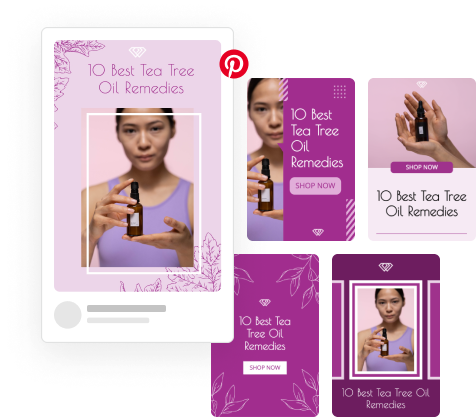
Tailwind stands out as a powerful tool for Pinterest marketers, especially when it comes to creating visually appealing pins. The platform offers robust graphic design tools that make the design process smooth and efficient.
Key Features of Tailwind’s Design Capabilities:
- Pre-Designed Templates: Tailwind provides a variety of professionally designed templates. These templates are tailored specifically for Pinterest, ensuring your pins meet the platform’s best practices and aesthetic standards.
- Custom Graphics: If you prefer a more personalized approach, Tailwind allows you to create custom graphics. You can tweak elements such as fonts, colors, and images to match your brand’s unique style.
- Ease of Use: The user-friendly interface ensures that even those with minimal design experience can create stunning visuals. Drag-and-drop functionality simplifies the process, allowing you to focus on creativity rather than technicalities.
- Bulk Creation of Pins: One standout feature is the capability for bulk creation. This allows you to produce multiple pins at once, saving time while maintaining consistency in your marketing efforts. It’s particularly useful for large campaigns where uniformity and efficiency are crucial.
- Integration with Canva: Tailwind integrates seamlessly with Canva, a popular online design tool. This partnership enhances your creative capabilities by providing access to an extensive library of design elements and features within Canva’s ecosystem.
For Pinterest marketing strategies that rely heavily on visual appeal, these graphic design tools in Tailwind can significantly streamline your workflow and enhance the quality of your content.
Pricing Structure and Plans: Finding the Right Fit for You
When considering Tailwind as your go-to free Pinterest scheduling tool, understanding their pricing structure is essential. Tailwind offers a range of plans catering to different user needs, from beginners to advanced marketers.
Free Forever Plan
Tailwind provides a Free Forever Plan that includes basic features suitable for users just starting. This plan allows you to:
- Schedule up to 20 posts per month
- Access to 5 Tailwind Communities
- Basic analytics and reporting
The free plan is an excellent way to test the waters without any financial commitment.
Paid Plans
For those ready to take their Pinterest marketing to the next level, Tailwind offers several paid plans with more robust features:
- Pro Plan ($14.99/month): Unlimited scheduling, advanced analytics, access to up to 10 Tailwind Communities, email and chat support
- Advanced Plan ($39.99/month): Includes all Pro Plan features, enhanced community participation, more in-depth analytics, additional design tools and templates
- Max Plan (Custom Pricing): Tailored for large businesses or agencies, dedicated account manager, comprehensive analytics suite, customizable features based on specific needs
Discounts and Trials
Tailwind often provides discounts for annual subscriptions, making it more affordable in the long run. New users can also benefit from a free trial period on any of the paid plans, allowing them to explore premium features before committing.
Choosing the right plan depends on your specific needs and goals. For beginners, the free plan offers ample opportunities to explore basic functionalities. For more experienced marketers, investing in a paid plan unlocks advanced tools designed to optimize your Pinterest strategy effectively.
By providing flexible options, Tailwind ensures there is something for everyone, whether you’re just starting or looking to scale your marketing efforts.
User Experience with Tailwind: Navigating Through the Platform
User experience with Tailwind app is often highlighted by its intuitive and user-friendly interface, making it a favorite among marketers and bloggers. Feedback from users consistently points to the platform’s easy navigation and visually pleasing design, which simplifies the process of scheduling and managing pins.
Seamless Navigation Across Devices: Mobile App Functionality Overview
Tailwind extends its robust scheduling capabilities with a mobile app, ensuring that users can manage their Pinterest strategy on-the-go. The mobile version of Tailwind is packed with features that allow marketers to stay productive, even while away from their computers. Key features include:
- Smart Scheduling: Easily add pins to your queue directly from your mobile device.
- Pin Inspector: Analyze the performance of your pins quickly, checking metrics like saves and impressions.
- Tailwind Communities: Engage with communities, share content, and collaborate with fellow pinners all from your smartphone.
- Design Tools: Access graphic design tools to create eye-catching visuals right from your mobile device.
The app’s seamless synchronization across devices ensures that any action taken on the mobile app is instantly reflected on the desktop version, providing a cohesive user experience. This level of integration allows for uninterrupted management of your Pinterest marketing efforts, keeping you efficient and effective regardless of where you are.
Feedback often praises how user-friendly the mobile app is, highlighting its capability to maintain full functionality without compromising ease of use. This makes it an indispensable tool for busy marketers who need flexibility in managing their social media strategies.
Tailwind’s commitment to providing a smooth user experience across both desktop and mobile platforms demonstrates their understanding of modern marketers’ needs, ensuring that productivity doesn’t take a hit when you’re away from your desk.
Effectiveness for Bloggers and Marketers: Realizing Tangible Results with Tailwind’s Help
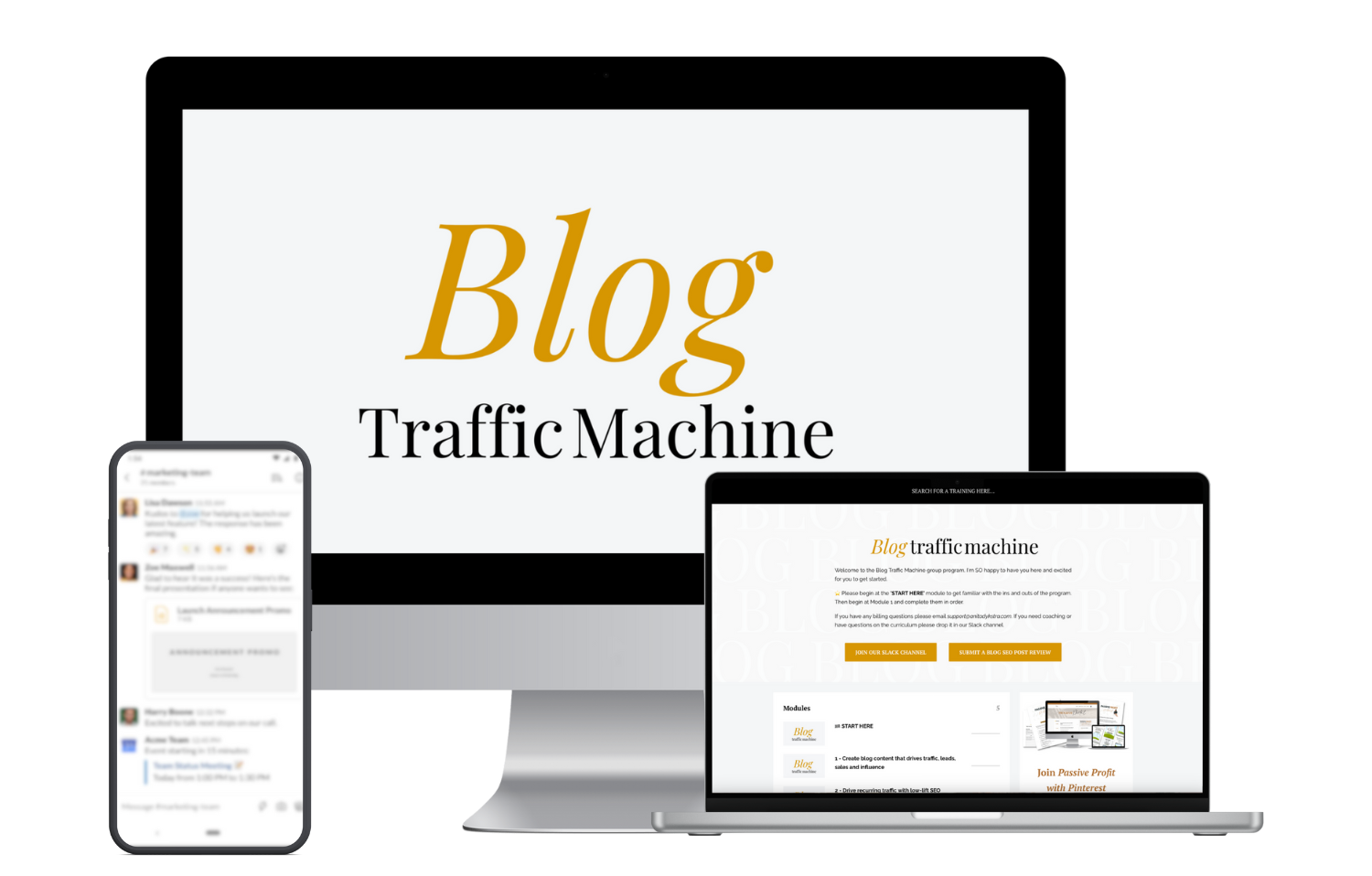
Increasing Blog Traffic Through Pinterest Marketing Using Tailwind’s Effectiveness
Leveraging Tailwind effectively can significantly boost blog traffic. Bloggers can use the platform’s smart scheduling, analytics, and community features to strategically post pins that drive targeted traffic back to their blogs. Some strategies include:
- Smart Scheduling: Use Tailwind’s Smart Queue feature to schedule pins at optimal times based on when your audience is most active.
- Tailwind Tribes: Join relevant communities to share your content with like-minded users, increasing the chances of your pins being repinned and reaching a wider audience.
Building an Email List That Converts: Integrating Email Marketing with Your Pinterest Efforts Using Tailwind’s Strategies
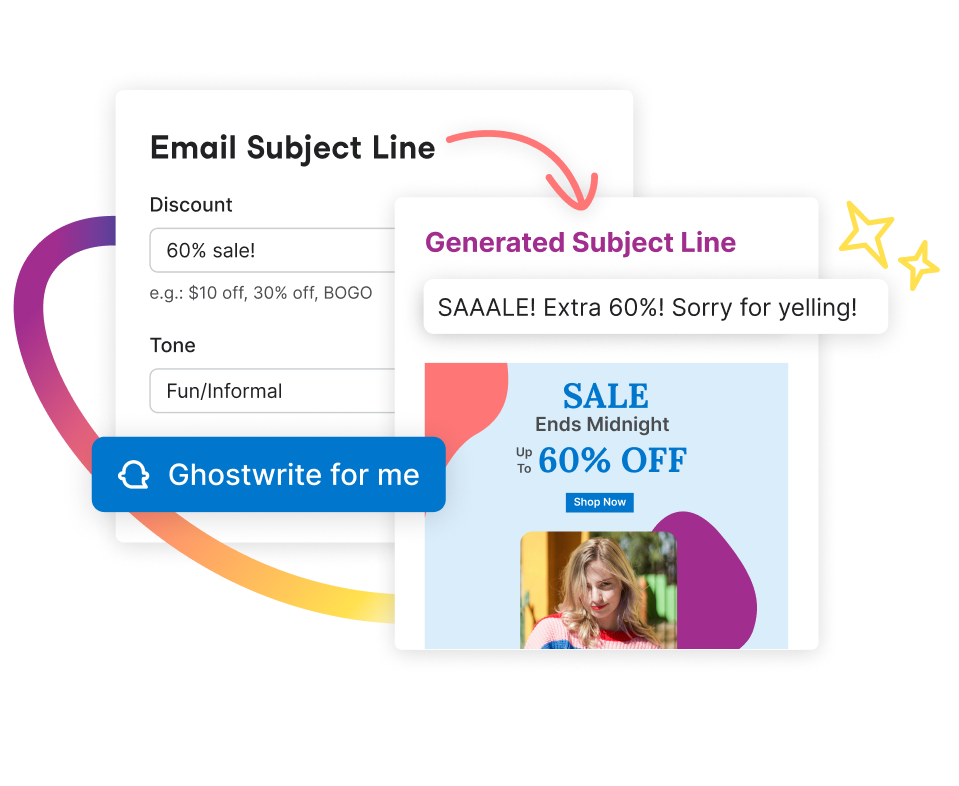
Combining email marketing with Pinterest efforts through Tailwind can be a game-changer for bloggers looking to grow their email lists. Specific strategies include:
- Lead Magnets: Create visually appealing pins that promote lead magnets such as eBooks, checklists, or free courses. Link these pins directly to landing pages where visitors can subscribe to your email list.
- Tailored Boards: Curate boards that align with your lead magnets and overall blog content. This ensures that visitors who find your pins are highly interested in what you offer.
- Pin Inspector: Use this tool to analyze which pins drive the most traffic and conversions. Adjust your strategies accordingly for better results.
By integrating these techniques into your Pinterest marketing strategy via Tailwind, you can significantly increase blog traffic and grow a high-converting email list.
Comparative Analysis: How Does Tailwind Stack Up Against Other Popular Scheduling Tools?
When comparing social media scheduling tools like Buffer, Hootsuite, and Tailwind, each has its own strengths and weaknesses.
Buffer:
- Pros: Simple interface, supports multiple platforms.
- Cons: Limited analytics on lower-tier plans.
Hootsuite:
- Pros: Comprehensive platform integrations, advanced analytics.
- Cons: Can be expensive, complex for new users.
Tailwind:
- Pros: Specialized for Pinterest and Instagram, robust community features, powerful analytics.
- Cons: Best suited for visual platforms, may not cover all social media needs.
Tailwind stands out with its tailored features for Pinterest success and a free-for-life plan that you can upgrade anytime.
Is It Worth Investing Time And Resources Into Using This Tool In 2024?
Tailwind proves to be a valuable asset for anyone keen on Pinterest marketing. Here are some compelling reasons:
- Time-Saving Automation: The Smart Queue feature optimizes your pinning schedule, ensuring maximum reach with minimal effort.
- Community Engagement: Tailwind Communities offer opportunities to collaborate and boost visibility through group boards.
- Data-Driven Insights: Robust analytics help refine strategies based on actual performance.
- Design Tools: Easy-to-use graphic design tools make creating eye-catching pins straightforward.
Despite the learning curve and subscription costs, the benefits often outweigh these cons, making Tailwind a worthwhile investment for 2024.
Start A Free Trial Today!
Ready to elevate your Pinterest marketing game? Dive into Tailwind’s free-for-life plan and experience the magic firsthand. Tailwind offers you:
- Smart Scheduling: Automate your pinning strategy effortlessly.
- Tailwind Communities: Connect and collaborate with like-minded marketers.
- Advanced Analytics: Make data-driven decisions to refine your approach.
- Pin Inspector: Gain insights into what works best for your audience.
- Graphic Design Tools: Create stunning visuals with ease.
Discover how Tailwind can transform your Pinterest strategy. Sign up for a free trial and see the difference it makes!




 Opinion Magnet
Leave a comment